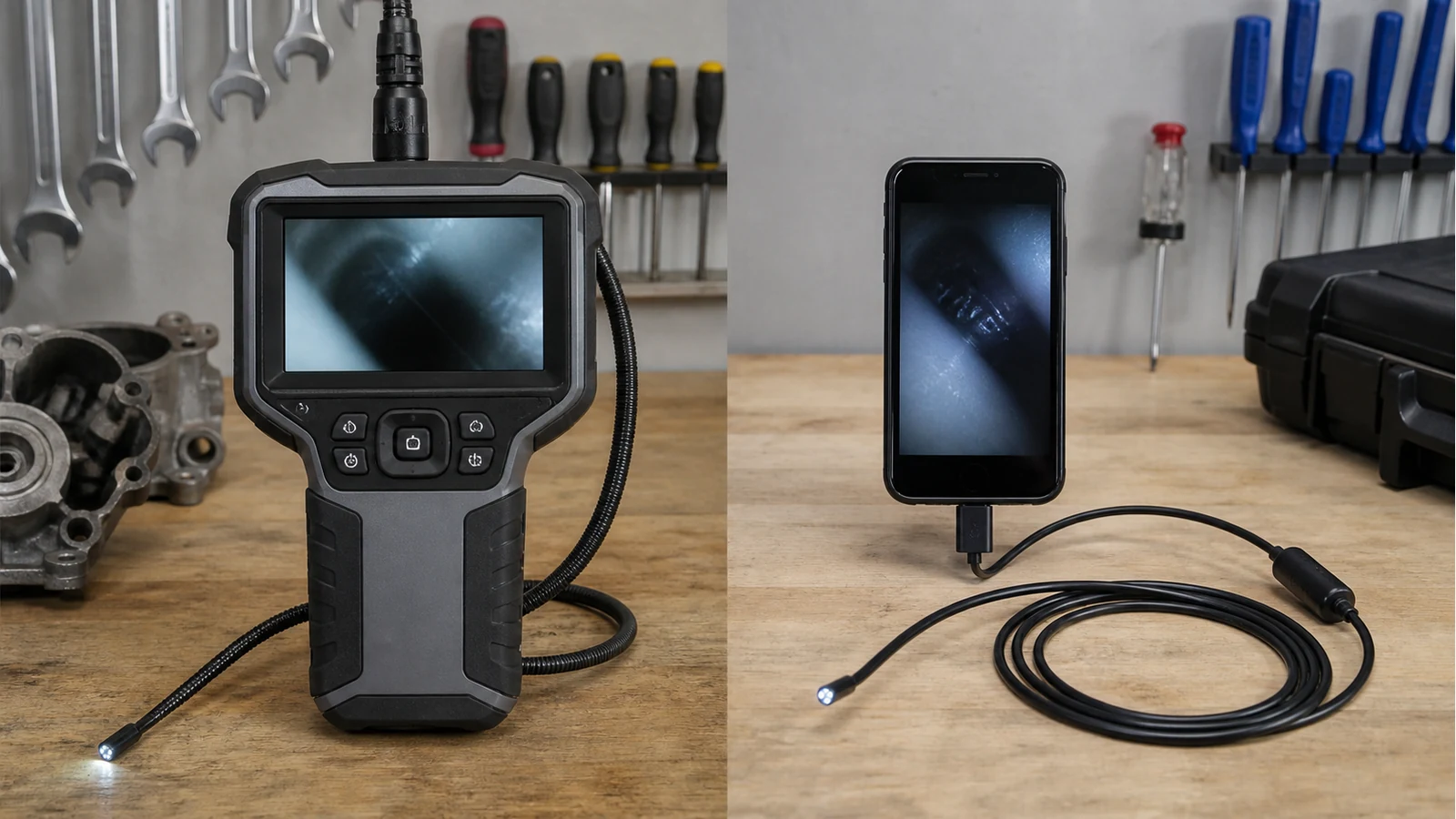
Built In Screen Borescope Vs Phone App Uk
Direct answer: for daily UK trade work, a borescope with its own screen is usually the smoother workflow. A phone-app or USB camera still makes sense for occasional checks where price matters more than deployment speed.
The real difference is workflow
The camera image is only part of the job. The technician also has to hold the probe, control the light, avoid dropping a device, save evidence and explain the finding. UK electrician buying guidance says dedicated own-screen units are faster for daily trade use, while phone-connected scopes are cheaper and acceptable for occasional looks. The workflow comparison is laid out in this UK inspection camera guide.
Decision table
| Job condition | Built-in screen | Phone app or USB scope |
|---|---|---|
| One-handed ladder or plant-room work | Usually easier: one purpose-built handset | More fiddly: phone, cable or wireless pairing |
| Occasional DIY or backup use | More expensive than needed | Often good enough |
| Customer evidence photos | Better if files save on board or removable storage | Convenient if phone capture is stable |
| Bright or dirty site conditions | Phone remains free and safer in pocket | Phone becomes part of the dirty workflow |
| Lowest purchase cost | Usually loses | Usually wins |
Why pairing and interruptions matter
On a clean bench, a phone scope can look like the obvious winner because the screen is large and familiar. On site, the phone may also be your calls, job sheets, maps, payment link and customer messages. UK industrial endoscope commentary points to the everyday problem of lag, app crashes and phone interruptions during inspection work; see this industrial endoscope workflow article.
The issue is not that phone scopes are bad. It is that they ask a general-purpose device to become a diagnostic screen at the exact moment the technician needs fewer moving parts.
Evidence capture changes the answer
If the inspection ends in a customer photo pack, workshop record or maintenance report, check how images leave the device. Built-in screens are most useful when they can record stills or video without relying on a phone connection. Milwaukee's UK automotive borescope page, for example, positions integrated display and microSD recording as part of a workshop documentation workflow: integrated LCD and microSD recording.
Who should not upgrade
Do not upgrade just because a built-in screen looks more professional. If you inspect once a month, already accept app setup time, and the finding is for your own use rather than a paid report, a phone scope is a rational buy. Spend the difference on the right probe diameter, better lighting control, or a tool you use every week.
When DualScope-type products are relevant
If your work needs one-handed operation, onboard viewing, controlled steering and repeatable customer evidence, a self-contained articulating unit is the category to compare. In that situation, the verified same-site next step is the DualScope Pro articulating borescope detail page. If you only need an occasional quick look, keep the cheaper phone-app route on the shortlist.
For the cable side of the choice, read semi-rigid vs flexible borescope cable. For engine access rather than general site workflow, see piston crown carbon inspection camera UK.
Bottom line
Choose built-in screen for regular trade work where speed, handling and evidence files matter. Choose phone app for low-cost occasional checks. The correct answer is the one that reduces friction at the point of inspection.